
ECUHELP KT200II 2026 ECU Programmer is confirmed to read and write VW edc17cp14 Boot Mode.
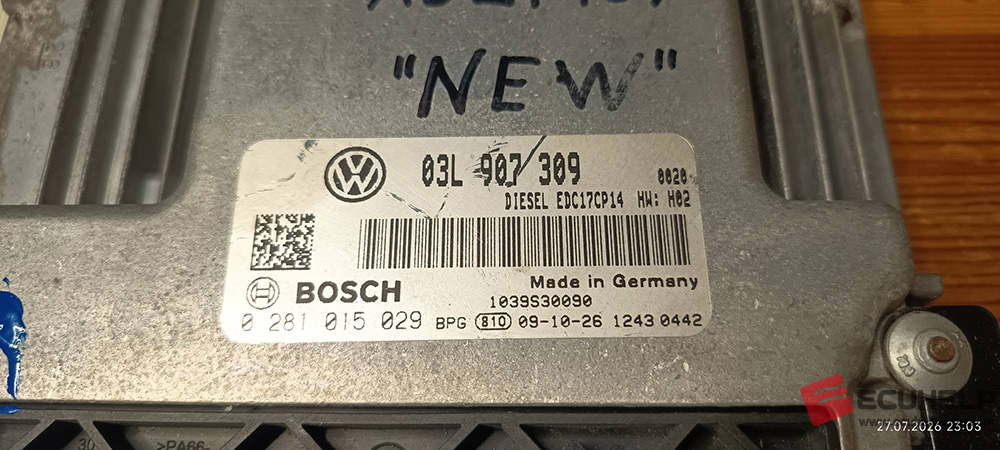
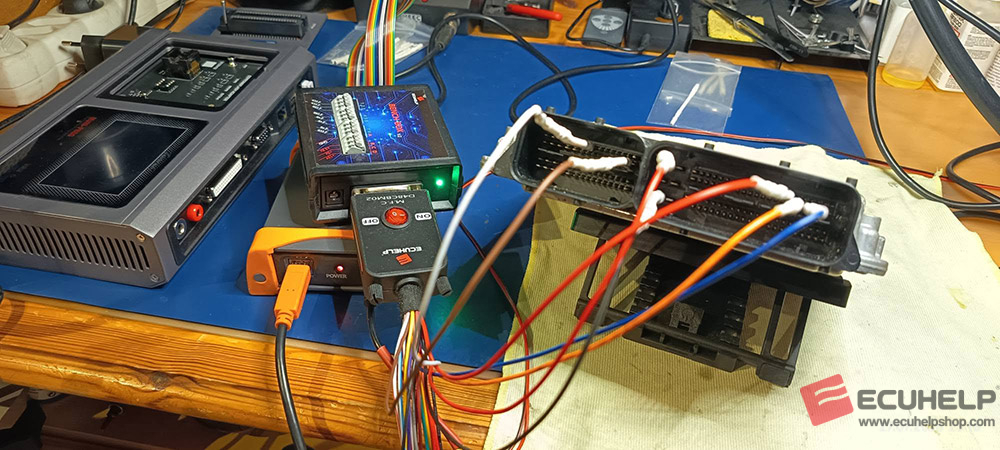
Firstly, please look at the outlook of the ECU edc17cp14:
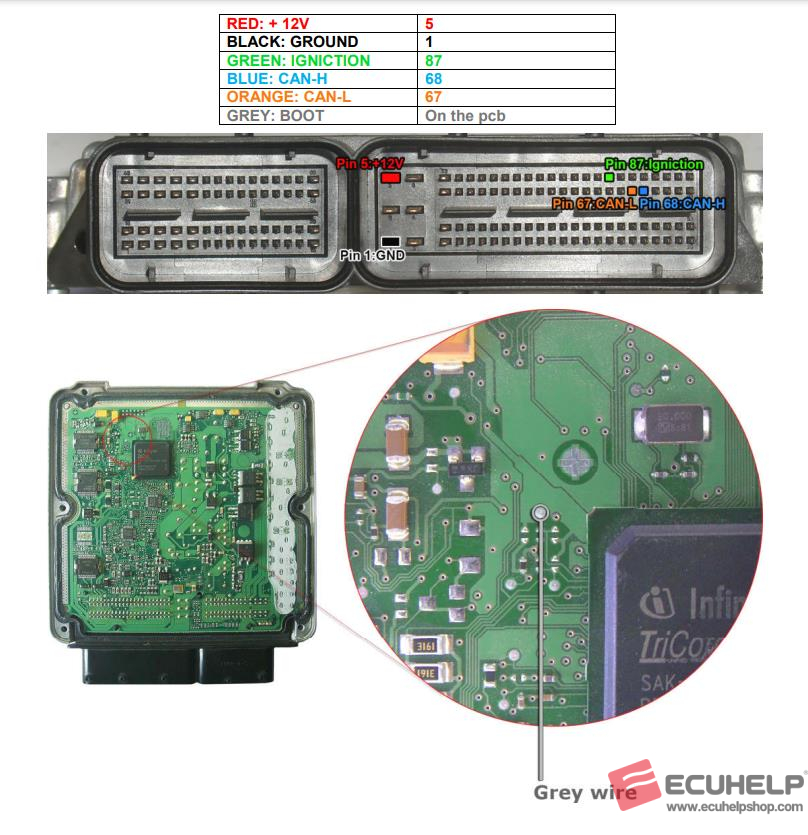
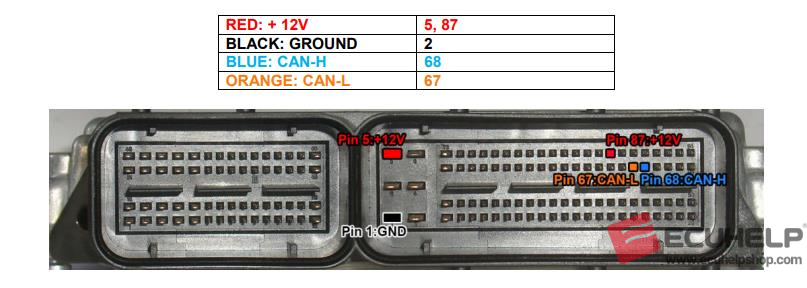
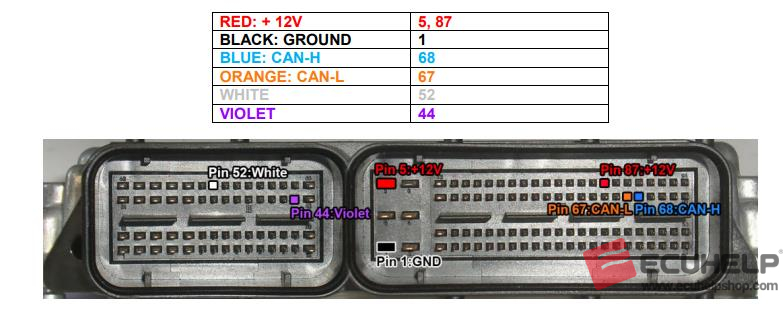
Next is to follow the wiring diagram of BOSCH EDC17 CP14/CP20 [ TC1796 INT.F.] – VW, Audi, Seat, Skoda:
Kit to use:
– Multifunction cable
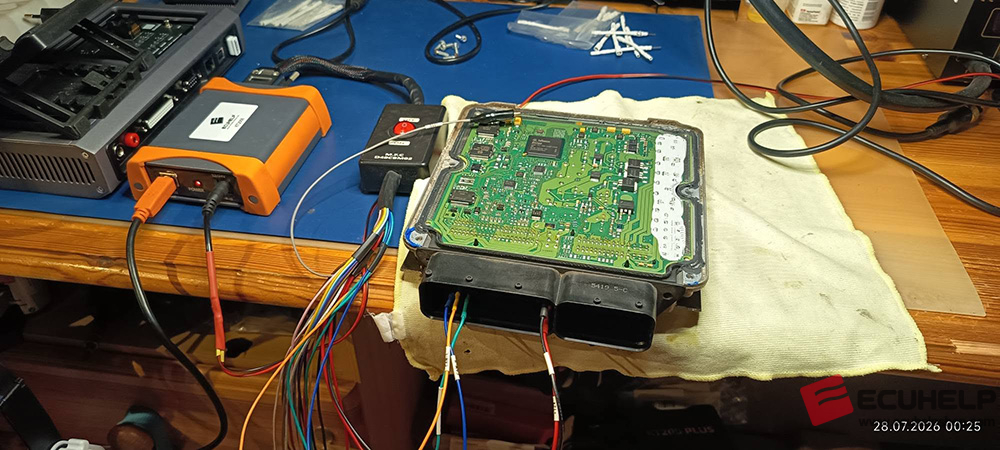
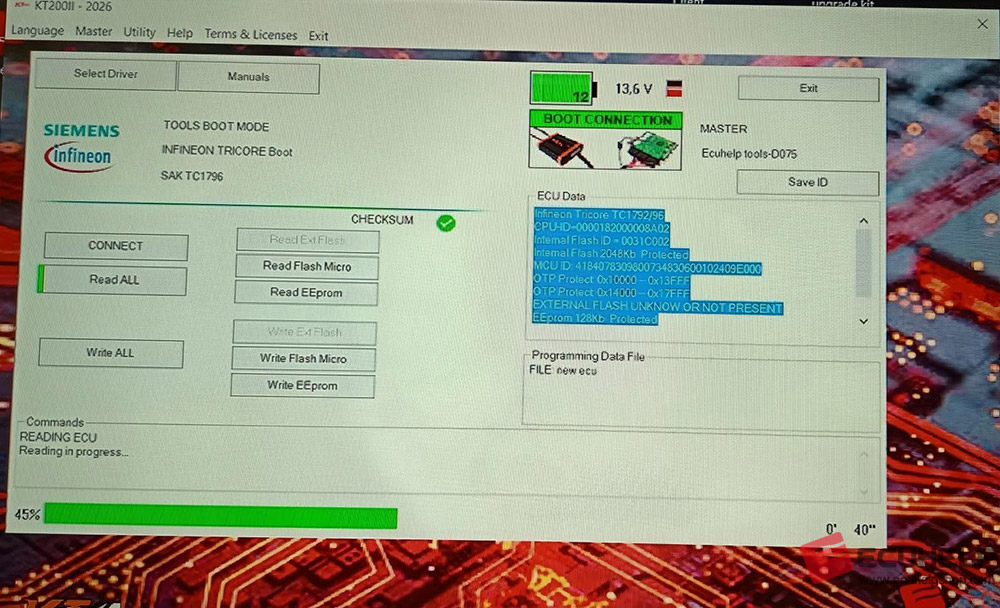
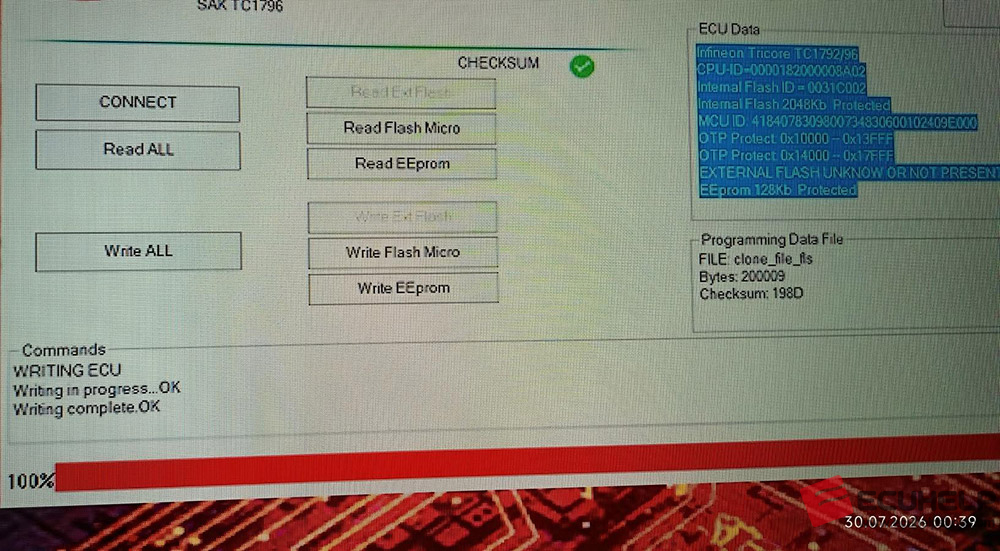
Read and Write ECU using KT200II:
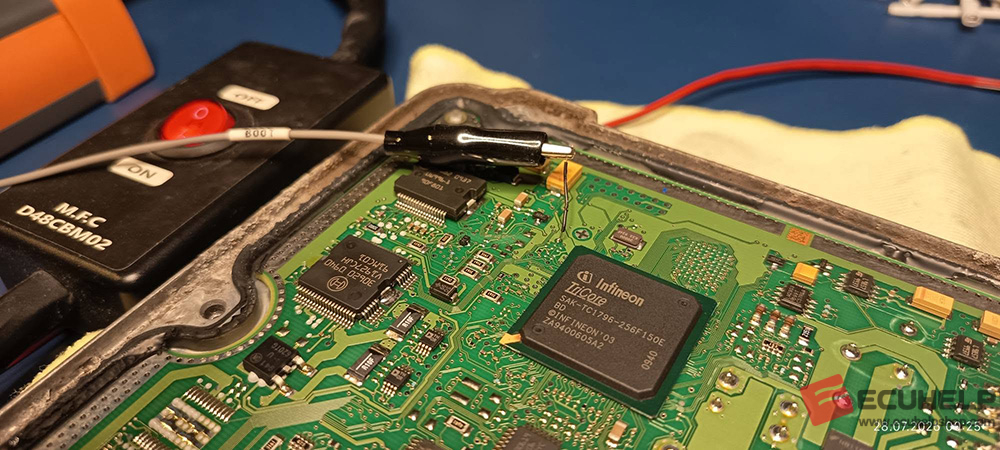
Connect with the multifunction cable the following pinout and the boot shown below.
Use the driver:
→ TOOLS BOOT MODE
→ INFINEON TRICORE Boot
→ SAK TC1796
ATTENTION:
If the password error message appears at the beginning of the reading, proceed as follows:
PASSWORD SEARCH:
Disable the boot mode by unsoldering the gray wire. Connect the pinout below.
Use the driver:
→ TOOLS BOOT MODE
→ INFINEON TRICORE Tool Password
→ OBD PASSWORD TPROT V08 VAG
→ Click on “Find Password” and follow the software messages.
If the password was found with this system, go directly to the boot step to read and write the control unit.
Otherwise, see next step ..
PASSWORD SEARCH
Connect the pinout below.
Use the driver:
→ TOOLS BOOT MODE
→ INFINEON TRICORE Tool Password
→ PASSWORD BFT
→ Click on “Find Password” and follow the software messages.
Now that the password has been found it’s possible to read and write the control unit as described in STEP 1.