
The ECUHELP KT200II ECU Programmer has been successfully tested and confirmed to read and write the Chevrolet 6T30 Transmission Control Module (TCM) using Pinout Mode.
Supported TCM Information:
Vehicle Brand: Chevrolet / Opel
Transmission Models: 6T30 / 6T35 / 6T40 / 6T45 / 6T50
Working Mode: Pinout Mode
Tool: ECUHELP KT200II ECU Programmer
Wiring Diagram – TCM 6T30–6T50 (Pinout Mode):
To connect the KT200II to the transmission control unit, follow one of the wiring methods below.
Method 1: Dedicated Cable (Recommended)
Use the following cable for a direct and stable connection:
Cable: DFB 6EACBB40
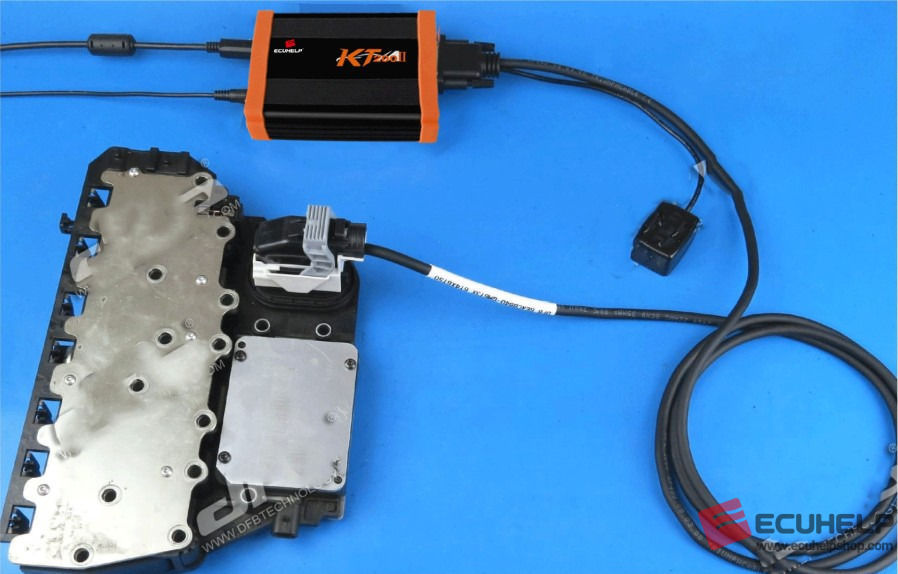
Method 2: Multifunction Cable (Alternative)
If the dedicated cable is not available, you may also use:
KT200II Multifunction Cable
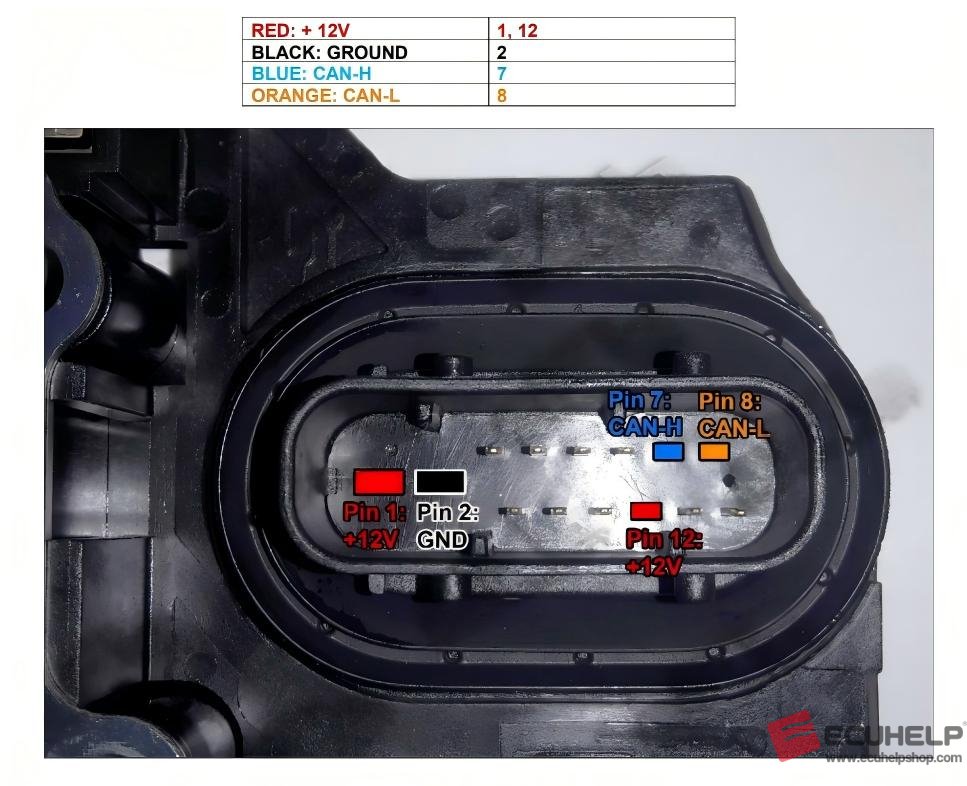
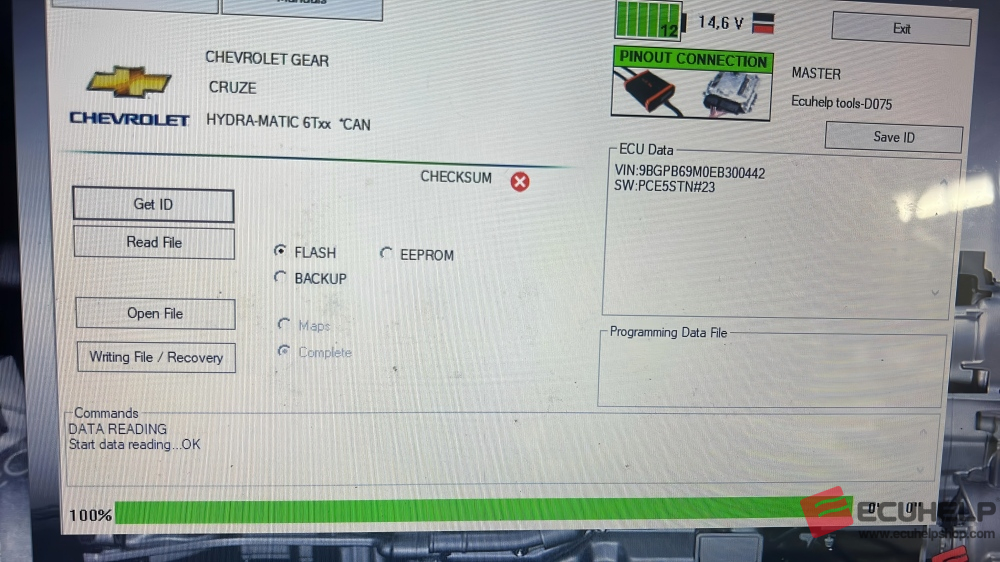
Finally, to read and write ECU by following the on-screen prompt.
Look at the following image of reading Chevrolet 6T30 Pinout Mode.
Conclusion:
The ECUHELP KT200II ECU Programmer provides reliable Pinout Mode read and write support for Chevrolet and Opel 6T-series TCMs, including 6T30 through 6T50. With flexible wiring options and guided software operation, it is an efficient solution for transmission programming and repair.