ECUHELP KT200II ECU Programmer is confirmed to read and write SID211 ECU [Vehicle: 2018 Ford Transit Custom 2.0 TDCi (170 hp / 410 Nm)]. Read + password / write in boot mode successfully, OBD read + password successfully, checksum via the tool.
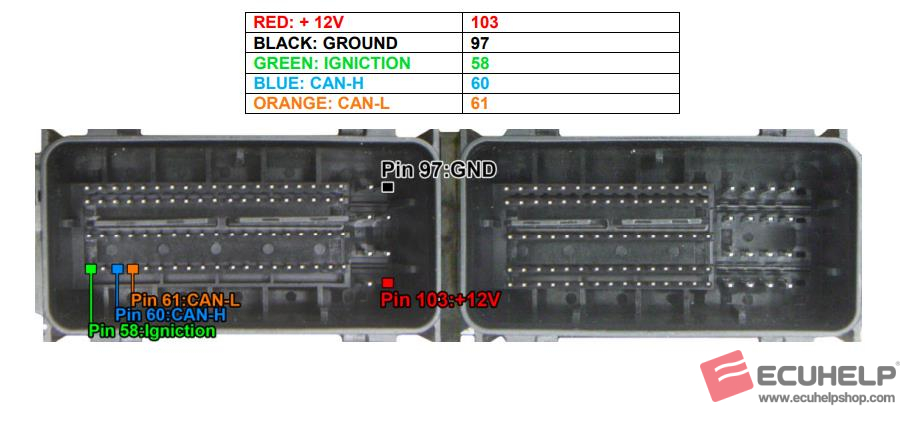
ECUHELP KT200II Wiring Diagram of SIEMENS CONTINENTAL SID211 [ TC1791 INT.F.] – Ford:
Kit to use:
– OBD cable
– Multifunction cable
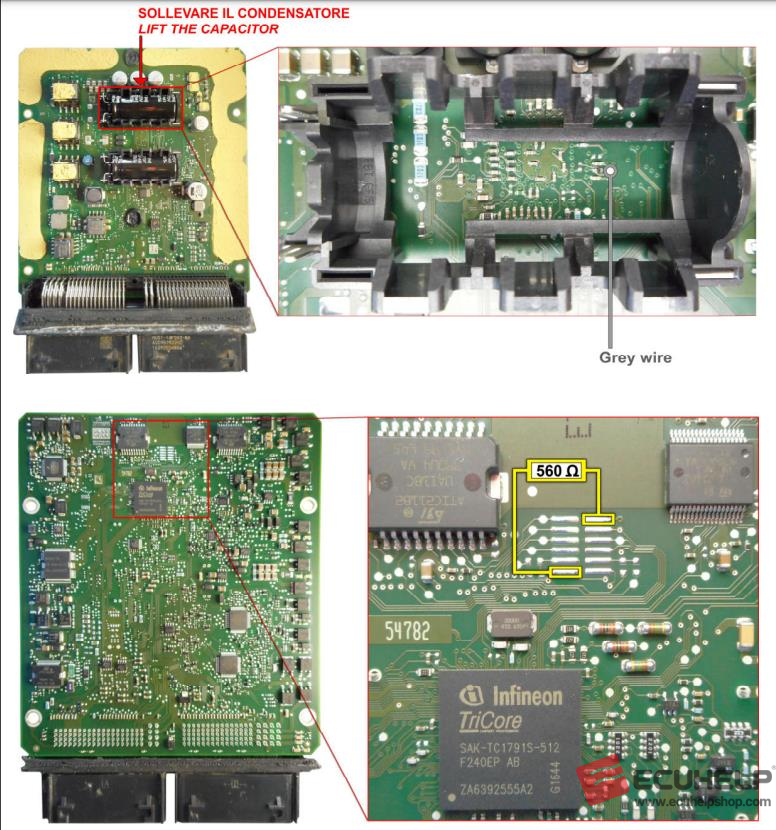
– 1 resistance of 560 Ω
PASSWORD SEARCH:
The password of this ECU is found at the end of reading the file using the serial driver via the OBD
plug of the vehicle.
An example of serial driver for this ECU:
→ CAR
→ FORD
→ TRANSIT FT
→ 2.0 TDCI 105CV CONTINENTAL SID211 *CAN
At the end of the reading, therefore, the KT200II software saves the password in a file called Password_adv.bin in the same folder chosen for saving the file of the car.
To read and write in boot mode the ECU, copy this file in the folder where the program is installed, for example C:/DFB Technology.
READ AND WRITE ECU with KT200II:
Connect with the multifunction cable the following pinout and the boot shown below Use the driver:
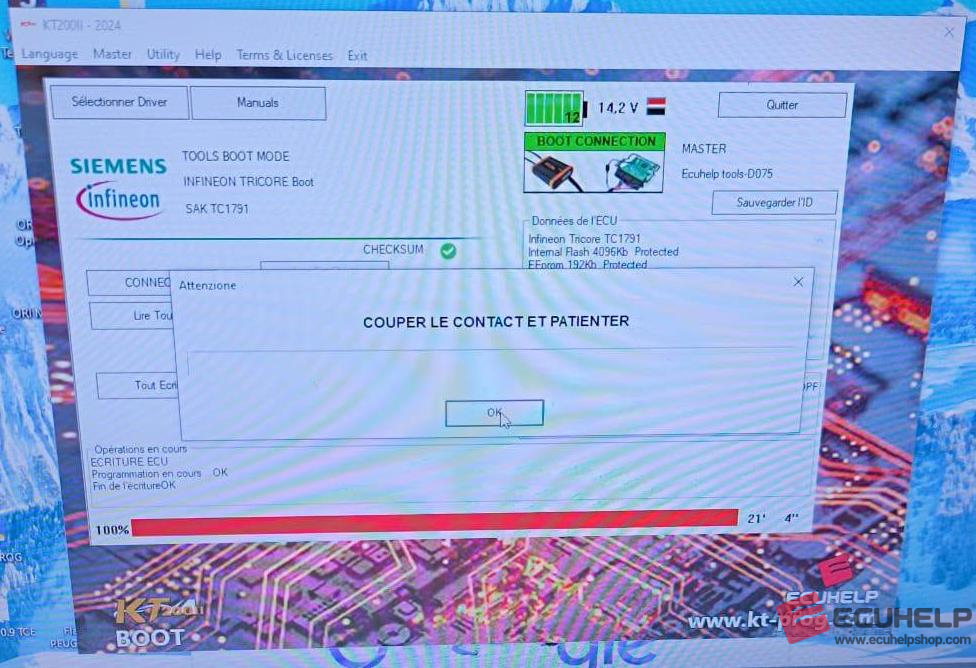
→ TOOLS BOOT MODE
→ INFINEON TRICORE Boot
→ SAK TC1791